Run your whole hotel from one system.

Front desk, housekeeping, restaurant, store, accounts, staff and guest follow-up — connected, so a booking made at reception reaches the bill, the accounts and the guest's history without anyone typing it twice.

Try the full system with demo data — no card, no installation.
dashboard.php
BizCare management dashboard
Owner dashboard — rooms, revenue, expenses, profit, receivables and guests on one screen.
50+rooms per property, across buildings
10staff roles with their own permissions
6stores — main, kitchen, bar and more
1login per staff member, every action recorded
Front desk & reservations

Your reception sees every room at a glance

The room board shows all 50 rooms by floor, in colour: available, arriving today, occupied, dirty, being cleaned, inspected, under maintenance or blocked. Click a room to check a guest in, take a walk-in, move a guest to another room or extend the stay.

  • Bookings by phone, walk-in, your website, OTAs and corporate accounts — with deposits and a double-booking check
  • Seasonal, weekend and promo-code rates calculated automatically for every night
  • CNIC / passport, vehicle number, preferences, birthday and anniversary saved with the guest
  • Early check-in and late check-out charges added to the bill in one step
Each receptionist logs in with their own ID, so every booking, bill and payment shows who did it.
frontdesk.php
Your reception sees every room at a glance
Guest bill (folio)

One bill for the whole stay

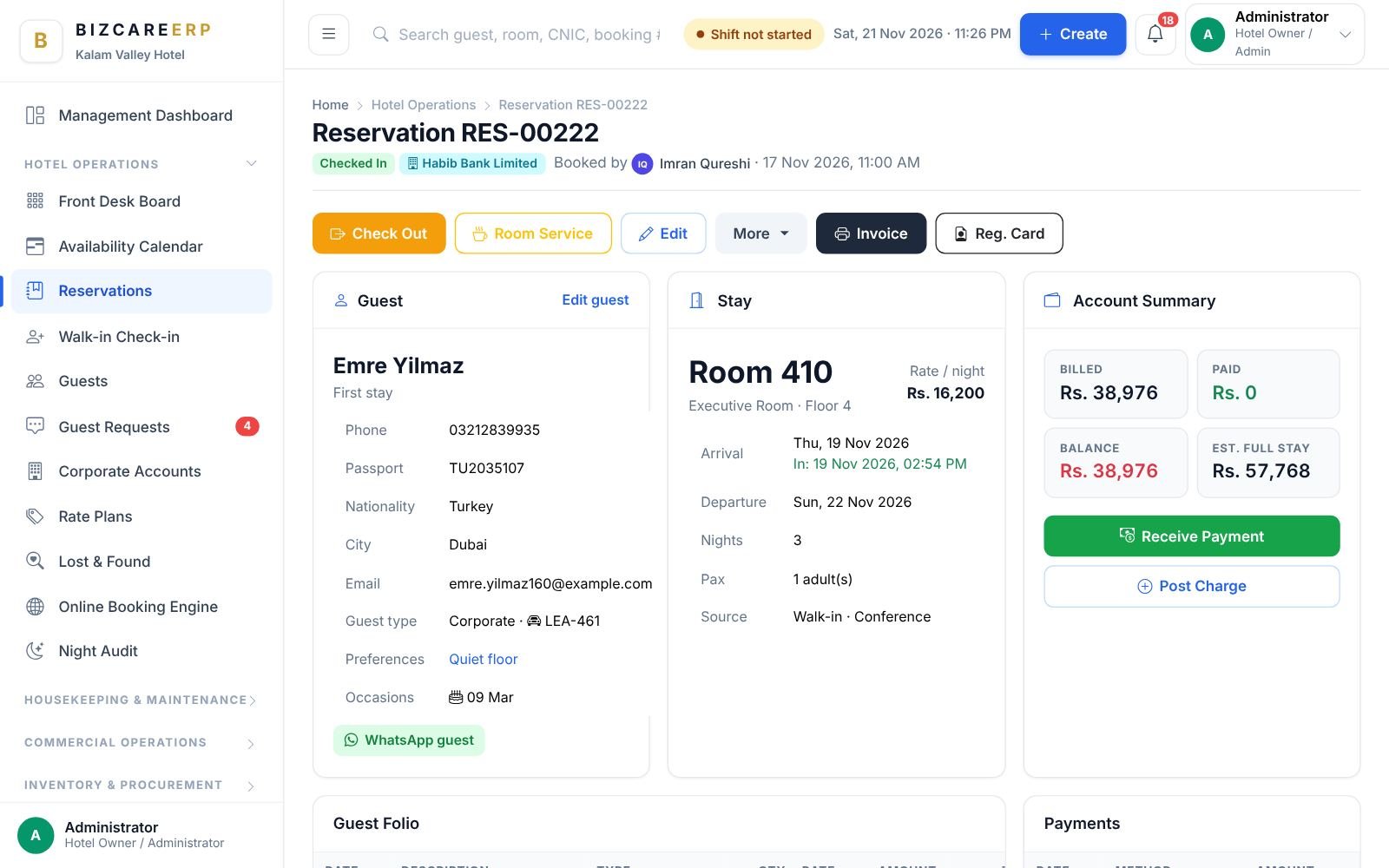
Room nights, restaurant orders, laundry, minibar and any extra service go to the same guest folio as they happen. At check-out the receptionist sees one total, takes the payment and prints the invoice.

  • Restaurant orders charged straight to the room
  • Advance payments, discounts and refunds recorded with the staff name
  • Printable invoice, receipt and guest registration card
  • A thank-you message is prepared automatically after check-out
reservation_view.php
One bill for the whole stay
Housekeeping

From dirty to ready, without phone calls

When a guest checks out the room turns "Dirty" on the board. The supervisor assigns it, the housekeeper marks it cleaned, and after inspection it becomes "Ready" for the front desk — everyone sees the same status.

  • Auto-assign all dirty rooms between the housekeepers on duty
  • Missing or damaged items recorded and charged to the guest bill
  • Cleaning time per housekeeper for productivity reports
  • Laundry orders and linen stock tracked in the same module
housekeeping.php
From dirty to ready, without phone calls
Maintenance

Repairs that actually get closed

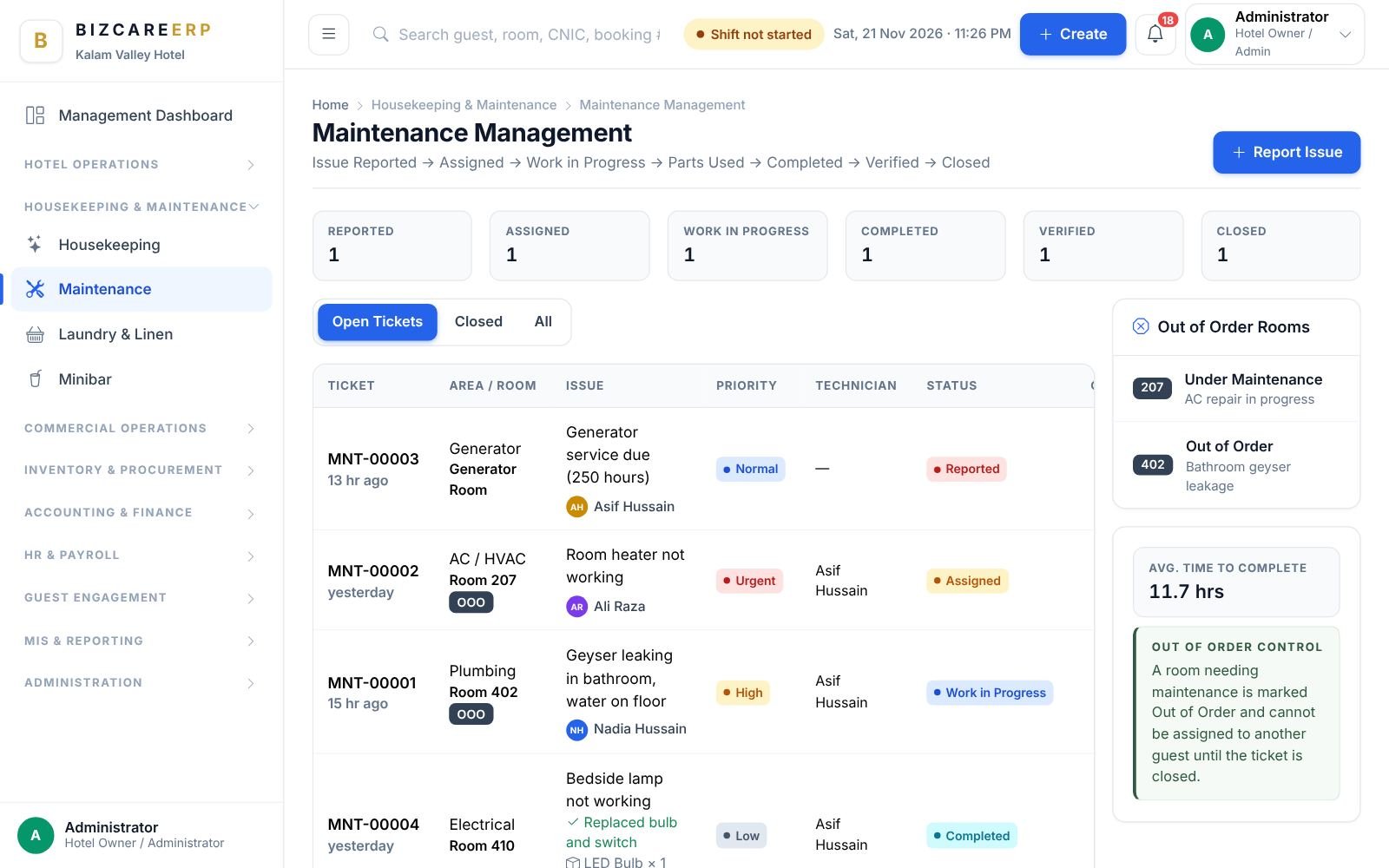
Anyone can report a problem — a leaking tap in 304 or a broken heater in 207. The ticket goes to a technician, the room can be taken out of order until it is fixed, and a supervisor verifies the work before the room is sold again.

  • Reported → assigned → in progress → completed → verified
  • Spare parts issued from the maintenance store with their cost
  • Out-of-order rooms automatically removed from availability
maintenance.php
Repairs that actually get closed
Restaurant & room service

A POS your waiters can learn in ten minutes

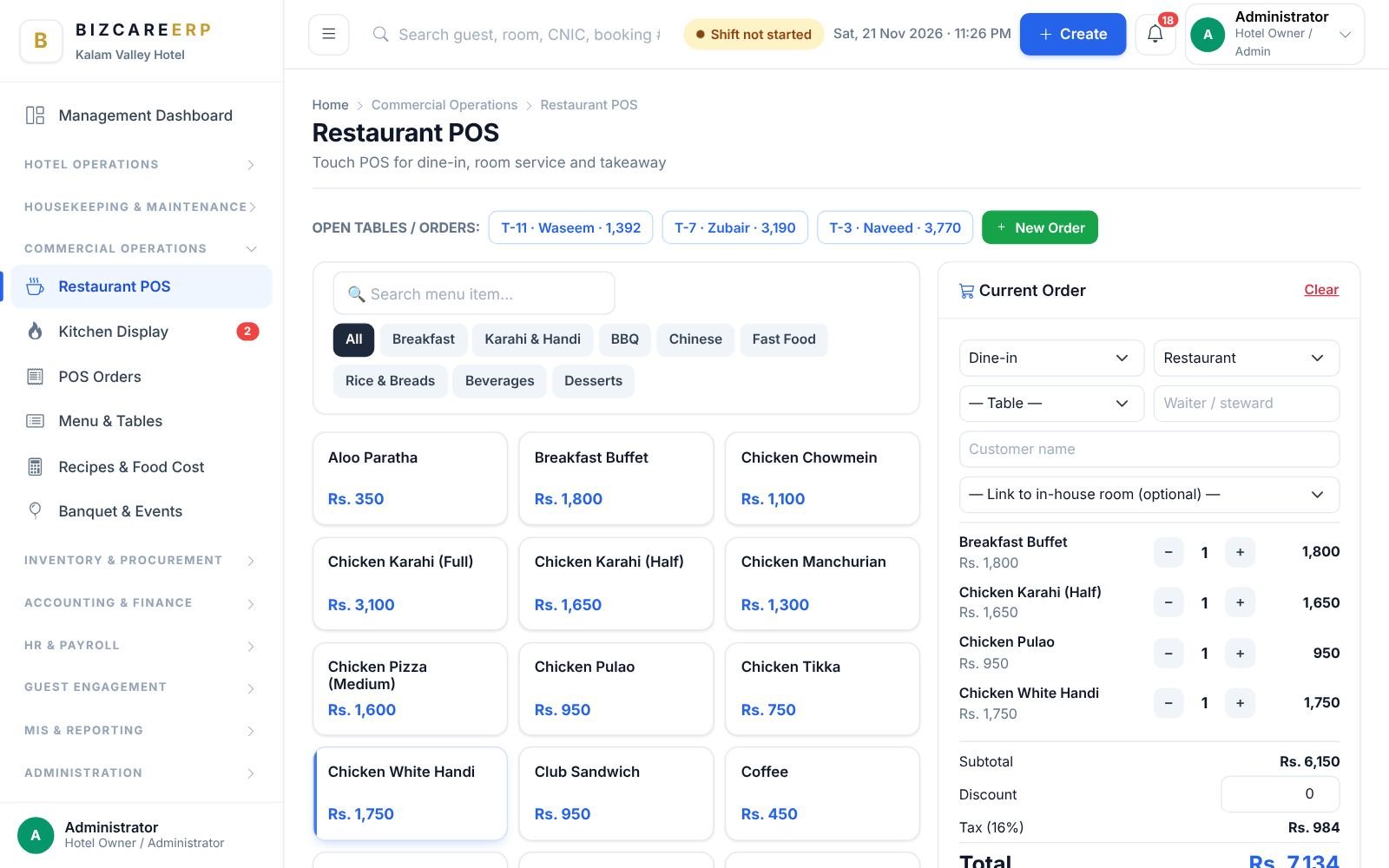
Take orders by table, room or takeaway, send the KOT to the kitchen screen, and settle by cash, card, Easypaisa or by charging the guest's room. Each order shows the table and the waiter.

  • Tables, waiters and kitchen display (KOT)
  • Recipes deduct ingredients from the kitchen store automatically
  • Food cost %, menu profitability and kitchen wastage
pos.php
A POS your waiters can learn in ten minutes
Store & purchasing

Know what you bought, received and paid for

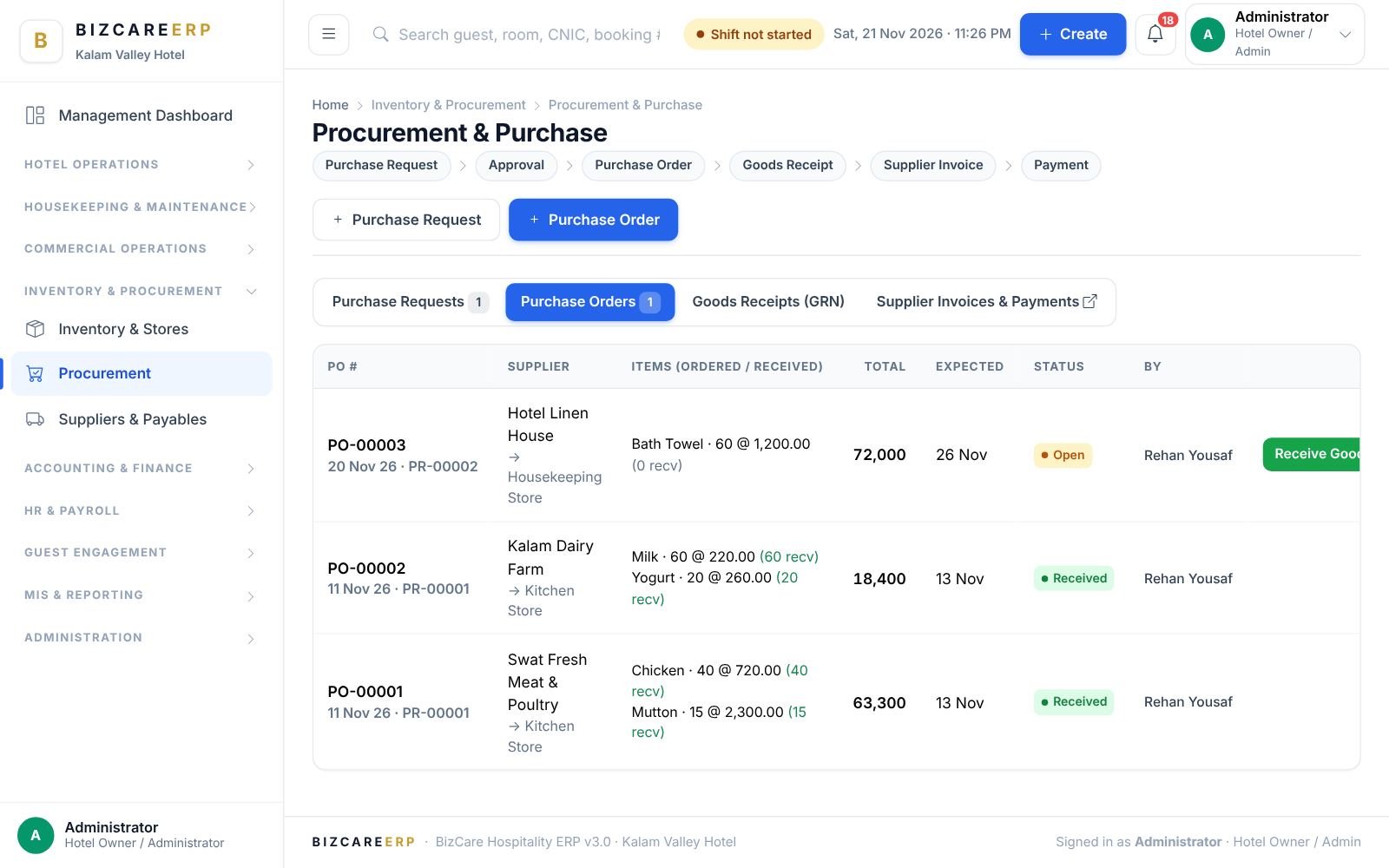
The kitchen requests 20 kg of chicken, the manager approves, purchasing sends the order to the supplier, the store receives the goods (GRN) and accounts pays the supplier bill. Every step is linked and recorded.

  • Purchase request → approval → purchase order → goods received → supplier invoice → payment
  • Separate stores: main, kitchen, bar, housekeeping and maintenance
  • Batch and expiry dates, reorder levels and low-stock alerts
procurement.php
Know what you bought, received and paid for
Accounts & finance

Your accounts update themselves

Room charges, restaurant sales, payments, expenses, purchases and payroll post to the accounts automatically. Your accountant still has vouchers, but no longer has to re-type the whole day.

  • Chart of accounts, general ledger and trial balance
  • Profit & loss, balance sheet and cash flow
  • Receivables, payables and bank reconciliation
  • Fixed assets with monthly depreciation
finance.php
Your accounts update themselves
HR & payroll

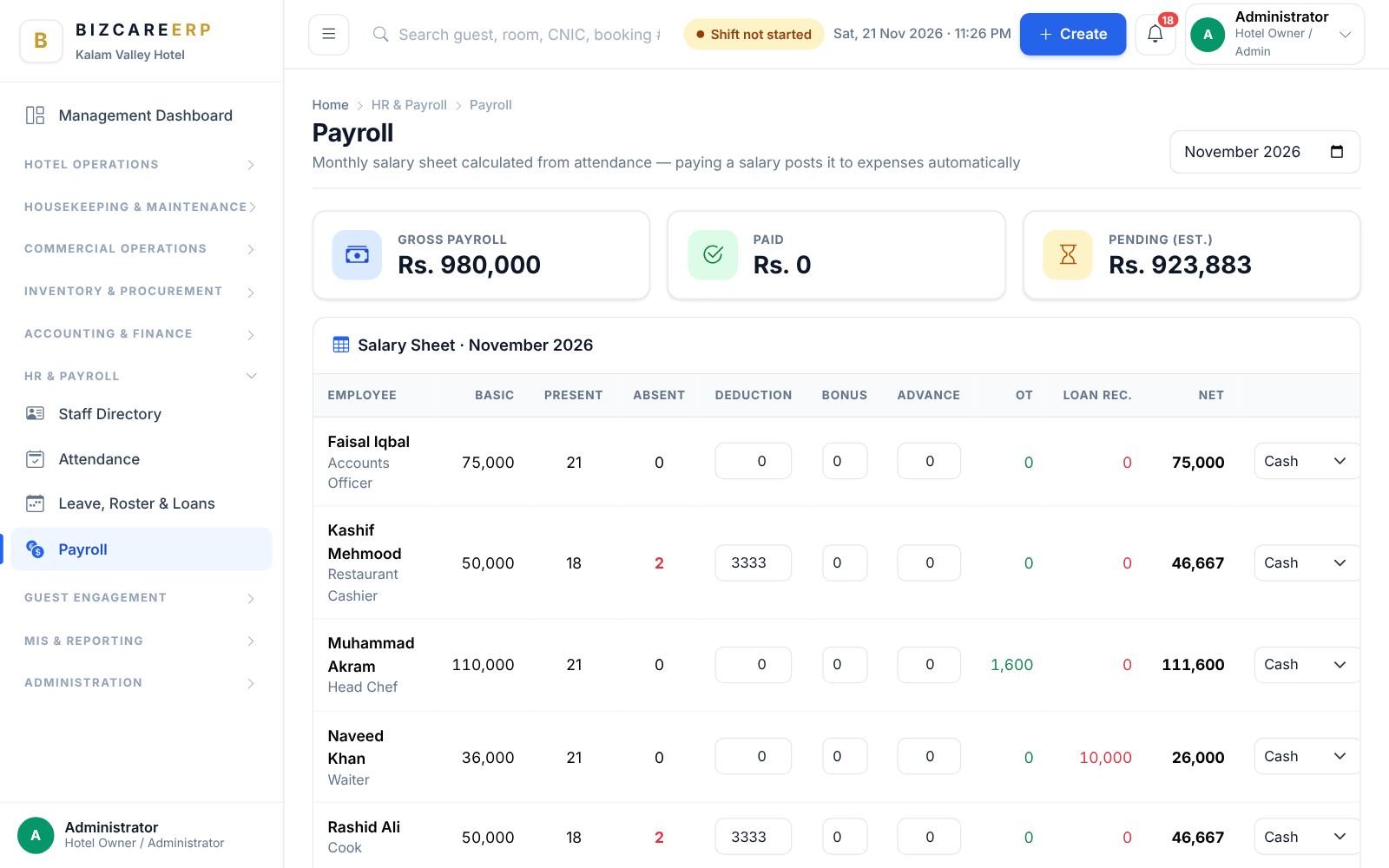
Staff, attendance and salaries in one place

Keep each employee's details and documents, mark daily attendance, plan the weekly duty roster and approve leave. At month end, overtime is added and loan instalments are deducted when you pay the salary.

  • Duty roster, leave, overtime, loans and advances
  • Salary slips and a monthly payroll sheet
  • Salary payments posted to the accounts
payroll.php
Staff, attendance and salaries in one place
Guest CRM

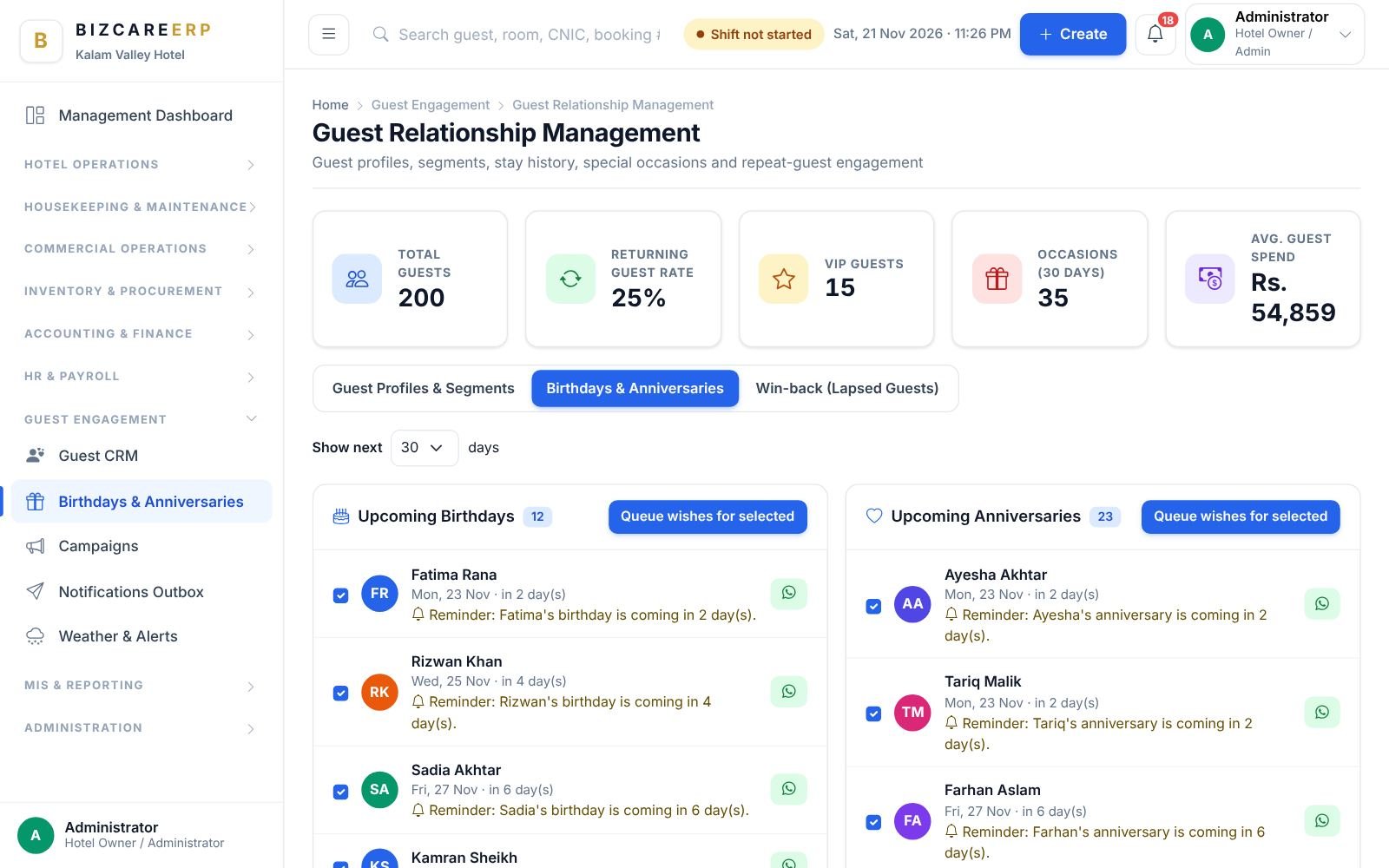
Remember your guests the way a good host does

See who stayed, how often and how much they spent. Find your repeat, VIP, family, corporate and honeymoon guests, and get a reminder before their birthday or anniversary so you can send a wish with a small offer.

  • Guest segments and lifetime value
  • Upcoming birthdays and anniversaries with one-tap WhatsApp wishes
  • Messages only go to guests who agreed to receive offers
crm.php
Remember your guests the way a good host does
Weather & campaigns

When snow is coming, your past winter guests hear about it first

The system checks the 7-day forecast for your destination and shows alerts for snowfall, heavy rain, extreme cold, fog and road conditions. A rule like "if snowfall is forecast, offer the snowfall package to last winter's guests" prepares the messages for you.

  • Weather alerts for management and arriving guests
  • Seasonal campaigns for winter, summer, Eid and school holidays
  • Promo codes and bookings tracked per campaign
weather.php
When snow is coming, your past winter guests hear about it first
Reports for the owner

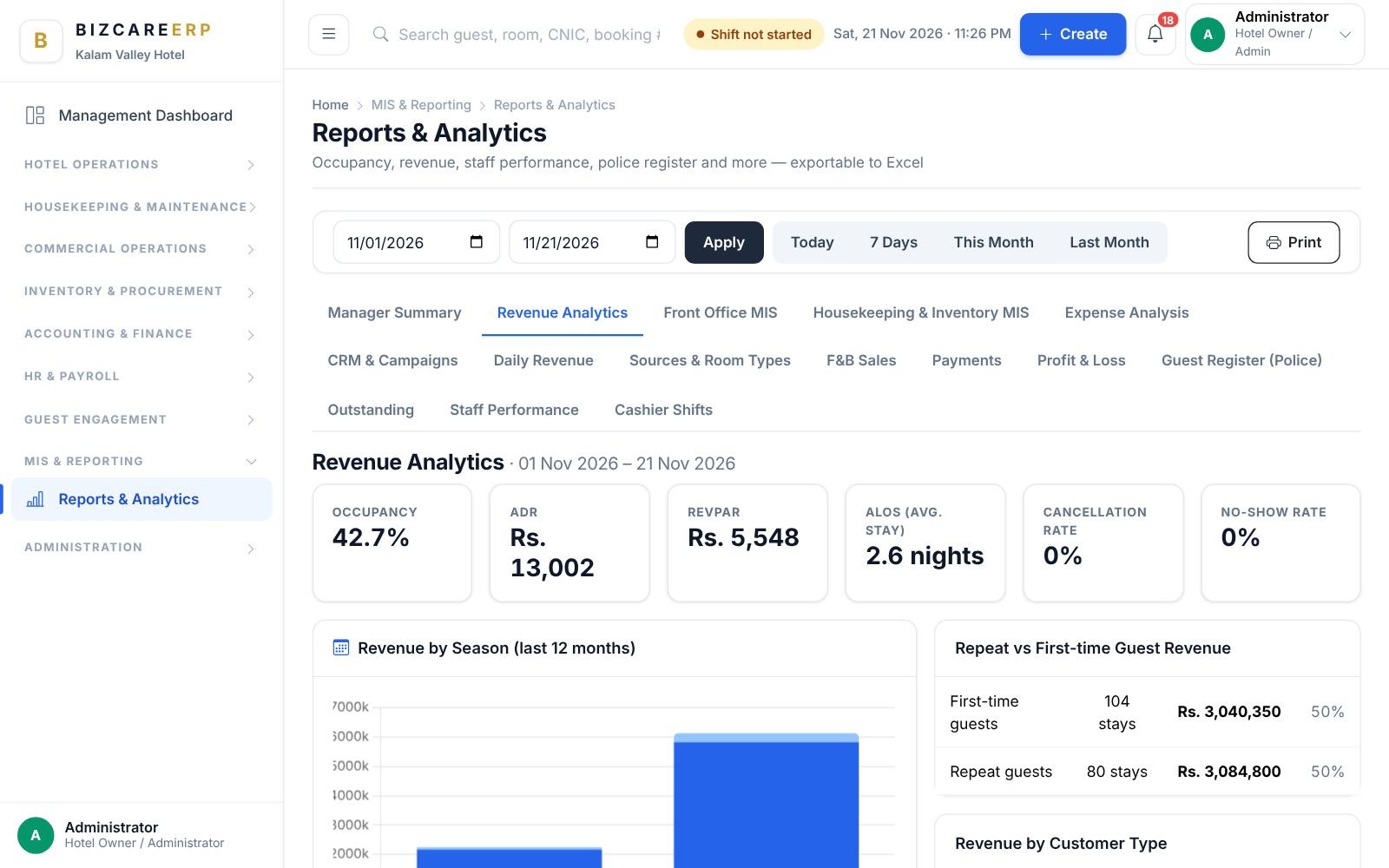
The numbers you ask for every evening

Occupancy, ADR, RevPAR, revenue by room and restaurant, expenses, profit, receivables and payables — on the dashboard and in detailed reports you can export to Excel.

  • Revenue by season, guest type and campaign
  • Front office, housekeeping, inventory, purchase and expense reports
  • Police guest register (Form-C) and outstanding balances
reports.php
The numbers you ask for every evening
Online booking

Guests can book directly on your website

Your guests pick dates, see the rooms that are actually free with today's rate, apply a promo code and confirm. The booking appears at the front desk immediately and a confirmation message is prepared.

  • Live availability — no double bookings
  • Promo codes from your campaigns
  • No commission on direct bookings
book.php
Guests can book directly on your website
How it works

One guest's stay, start to finish

Here is what happens in the system when Mr. Ahmed books Room 205 for two nights.

  1. Booking — reception books Room 205; the dates are blocked on the calendar and a confirmation message is prepared.
  2. Check-in — CNIC is recorded and the room turns occupied on the board.
  3. During the stay — dinner from the restaurant, laundry and minibar are added to his bill; the kitchen ingredients are deducted from store.
  4. Check-out — one bill, one payment, invoice printed. The room turns dirty for housekeeping.
  5. Accounts — room revenue, restaurant sales and the payment are already in the books.
  6. Later — a thank-you message, a birthday wish next year, and a winter offer when snow is forecast.
calendar.php
Availability calendar
Availability calendar — every room and every booking for the coming weeks.
Getting started

Set up in stages, at your own pace

Most hotels start with the front desk and add the rest when the team is comfortable. We follow the order that suits your hotel.

1. Core operationsRooms, rates, reservations, check-in/out, guest bills, housekeeping
2. Restaurant & servicesPOS, kitchen, recipes, minibar, laundry, banquets
3. Back officeStore, purchasing, accounts, expenses, HR & payroll
4. Guests & marketingCRM, birthdays, messages, seasonal and weather campaigns
5. IntegrationsOnline booking, OTAs, payment gateway, door locks, biometric, SMS / WhatsApp API
permissions.php
Roles and permissions
Roles & permissions — decide exactly which screens each team member can open.
FAQ

Questions hotel owners ask us

Yes. Each staff member has an ID with a photo. Bookings, check-ins, charges and payments show who entered them, and important changes keep the old and new value in the audit trail.

Yes. There are ready roles — owner, manager, front desk, housekeeping, restaurant, store, purchase, accounts, HR and maintenance — and you can tick or untick any module for any role.

Messages are prepared automatically (booking confirmation, arrival, birthday, thank-you, offers). Staff send them with one tap from the outbox. Fully automatic sending can be added later with a WhatsApp Business or SMS gateway account.

Yes. It runs in the browser, so reception, the office, the restaurant and the store can use it on a desktop, laptop, tablet or phone.

No. Rooms are grouped by building and floor, and reports cover the whole property.
audit_trail.php
Audit trail
Audit trail — who changed a rate, a bill or a setting, with the old and the new value.

See it with your own hotel's data

Tell us about your hotel and we will call you to arrange a demo. Or start the free trial right now — it already contains a sample 50-room hotel.

+92 946 000 000
reservations@kalamvalleyhotel.pk
Kalam, Swat
Start Free Trial
Request a demo